

How to Find Reputable Online Retailers Before You Buy
Quick Summary
To find reputable online retailers, check that the site uses HTTPS and shows a real phone number, email and physical address. Then compare reviews across several independent sources, read the return and refund policies, and pay with a credit card or trusted wallet.
- Confirm the address starts with https:// and check the domain name for misspellings or copycat endings.
- Test the contact details by sending a short question and seeing whether a human replies.
- Check reviews on at least three independent platforms and look for repeated complaints.
- Read the return window, who pays return shipping, restocking fees and refund timing.
- Pay with a credit card or trusted digital wallet to keep chargeback rights.
Table of Contents
- Why Finding Reputable Online Retailers Takes a Few Minutes of Checking
- Step 1: Check the Site Security and Connection
- Step 2: Look for Contact Details and a Physical Address
- Step 3: Verify Customer Reviews Across Several Sources
- Step 4: Read the Return, Refund and Privacy Policies
- Step 5: Spot Red Flags in Design, Pricing and Payment Options
- Safe Online Shopping Tips for Clothing, Including Sizing and Returns
- Your Next Step: Shopping Chrissy's Eye With Confidence
- Frequently Asked Questions
Why Finding Reputable Online Retailers Takes a Few Minutes of Checking
Feeling safe when you click "buy" starts with knowing how to find reputable online retailers before any money changes hands. Most online shopping goes smoothly.
Many shoppers have been burned by photos that look nothing like the item that arrives. Others have struggled with slow returns or with sites that are hard to use.
This guide walks through five practical steps, followed by tips for buying clothing online. Each step is short and easy to follow. You do not need technical skills to do them.
- Check the site's security and connection
- Look for real contact details and a physical address
- Verify reviews across several sources
Step 1: Check the Site Security and Connection
Start with the address bar. A secure site uses HTTPS, which means the web address begins with "https://" and shows a padlock icon.
Security is not the whole story, though. Scammers can get an SSL certificate too, so a padlock alone does not prove a store is real.
If you want more detail, most browsers let you click the padlock and view the certificate.
Go Beyond the Padlock: Technical Checks That Take Two Minutes
Most guides stop at HTTPS. A few free lookups tell you much more about whether a storefront is real or recently assembled.
- WHOIS domain lookup. Use a free WHOIS tool (for example, whois.icann.org or a registrar's lookup page) to see when the domain was registered and for how long. A store that claims "20 years of service" but whose domain was created a few months ago is a red flag. Also check whether the registrant country matches the business address shown on the site.
- Certificate transparency logs. Services such as crt.sh let you search a domain and see every certificate ever issued for it. A sudden burst of certificates across many lookalike domains can indicate a scam network.
- Browser safety extensions. Reputation tools like Google Safe Browsing (built into Chrome and Firefox) and independent extensions such as Web of Trust or Norton Safe Web warn you before you land on a reported phishing or malware page. They are not perfect, but they catch known bad actors.
Watch out: a padlock and a valid certificate only prove the connection is encrypted, not that the seller is honest. Never treat HTTPS as a green light on its own.
Check the Payment Page Separately
Security checks should continue to checkout. A reputable store processes payments through an established provider such as Stripe, PayPal, Shopify Payments or a major bank's gateway. If the checkout page suddenly leaves the store's domain for an unfamiliar payment page, or asks you to enter card details into a plain web form with no provider branding, stop. Legitimate processors display their name and usually offer buyer protection.
Mobile and Social-Ad Shortcuts
Many shoppers now arrive from a social media ad or an in-app browser rather than typing a URL. In those cases the address bar may be hidden or truncated. Before you buy, tap the browser's menu to reveal the full URL, confirm the domain matches the brand, and check that the page is on HTTPS. If the ad promised a brand-name item at an extreme discount and the link goes to a domain you have never heard of, close it and search for the brand's official store instead.
Step 2: Look for Contact Details and a Physical Address
A reputable retailer makes it easy to reach a real person.
A street address matters because it gives you a place to check. Search for it on a map.
Good customer service also shows up here. If a site hides its contact options, expect the same difficulty if your order goes wrong.
The checks in each step are easier to scan at a glance, so here is a quick reference for the contact and address test.
| Check | What to look for | Why it matters |
|---|---|---|
| Phone number | A listed number you can call | Shows a real person can be reached |
| Email address | A reply to a short test question | Confirms replies come from a human |
| Physical address | A location you can search on a map | Gives you a real place to verify |
| Contact page | Easy to find, not hidden | Predicts how service will go if an order goes wrong |
Step 3: Verify Customer Reviews Across Several Sources
Reviews on the retailer's own website are not enough. Businesses can choose which reviews to show.
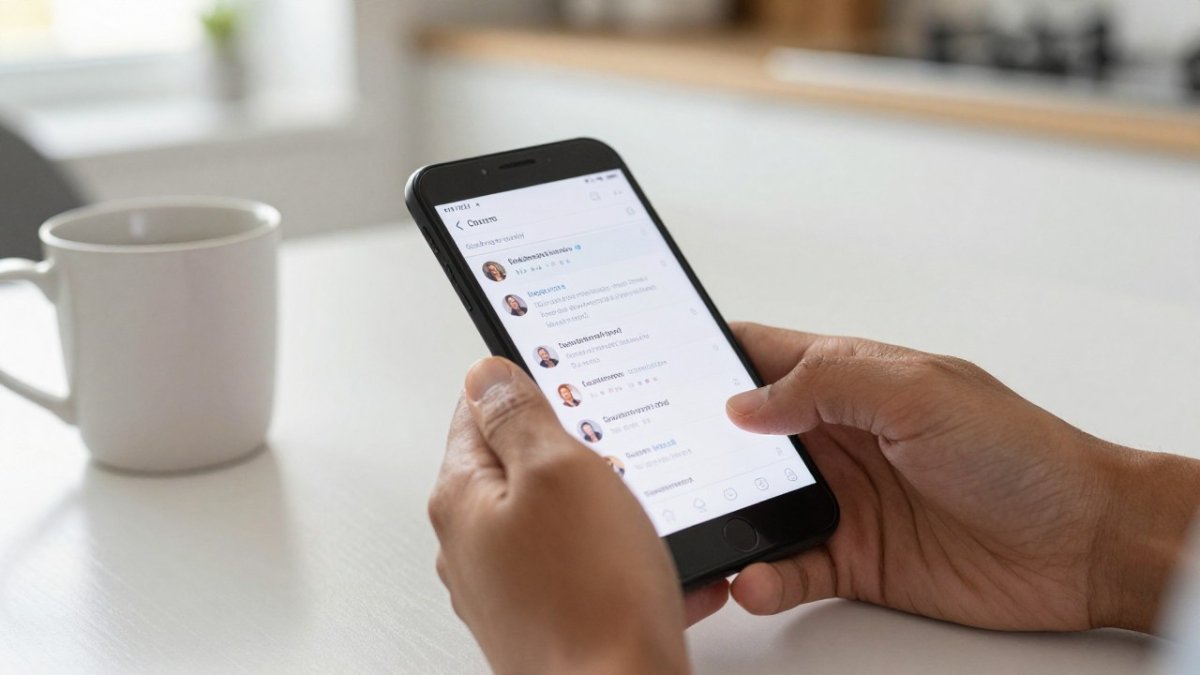
Read the negative reviews carefully. A few complaints are normal for any store. What matters is the type of complaint.
Watch for suspicious reviews too. A flood of five-star reviews posted in one week, all with vague praise and no details, can mean the reviews were bought.
- Compare reviews from at least three different platforms
- Look for detailed, specific comments
- Note whether complaints repeat across sources
Step 4: Read the Return, Refund and Privacy Policies
Policies may seem dull, but they tell you what happens when something goes wrong.
Clothing shoppers should pay special attention to sizing and fit returns. Confirm whether exchanges are offered and whether you must keep the original tags.
The privacy policy matters too. It should explain what personal data the store collects and how it is used. Reputable retailers state this plainly.
Step 5: Spot Red Flags in Design, Pricing and Payment Options
Some warning signs show up on the page itself. Be cautious if you notice any of the following:
- Prices far below what the same items cost elsewhere
- Countdown timers and pressure to buy now
- Spelling and grammar errors across the site
Payment choice is one of the strongest clues. Using a credit card or a trusted digital wallet gives you chargeback rights if an item never arrives or is not as described.
Pricing deserves a quick check too. Good value is not the same as a suspiciously low price. A store that sells quality clothing at competitive prices is normal.
A practical tip: if a deal makes you feel rushed, that is the moment to stop and run through these steps again.
The New Red Flags: Mobile Ads, Social Commerce and AI-Generated Stores
Most checklists were written for desktop browsing. Today many risky purchases start from a social media ad, a mobile app store listing or an AI-generated storefront. These channels have their own warning signs.
- Social media ads with mismatched links. Tap the ad's menu and view the destination URL before buying. If the ad shows a well-known brand but the link goes to an unfamiliar domain, or if the ad account was created recently and has few posts, treat it as high risk. Legitimate brands usually link to their own domain.
- In-app browsers that hide the URL. When you tap a link inside Instagram, TikTok or Facebook, the address bar may be hidden. Use the browser menu to reveal the full URL and confirm it matches the seller's real domain before entering payment details.
- App store listings with thin developer history. In the App Store or Google Play, check the developer name, the number of ratings and the app's release date. A shopping app from an unknown developer, published days ago, with generic screenshots and no privacy policy link, is a warning sign.
- AI-generated product pages and reviews. AI tools now make it cheap to produce polished product descriptions, fake lifestyle photos and even fake review text. Look for reviews that are all similar in length and tone, product photos that look slightly unnatural (odd hands, warped text on labels, inconsistent lighting), and descriptions that are vague about materials or sizing. Cross-check the same product on a known retailer's site.
Watch out: AI-generated storefronts can pass a quick visual scan because the design looks clean and professional. Slow down on stores you have never heard of, especially when the traffic came from a paid social ad.
A Quick Mobile-First Checklist
Before you tap "buy" on a phone, run these four checks:
- Reveal the full URL and confirm the domain matches the seller.
- Confirm the checkout uses a recognized payment provider with buyer protection.
- Check the developer or seller profile history in the app or social platform.
- Search the store name plus the word "scam" and skim the first page of results.
These steps take about two minutes and catch most of the modern fraud patterns that a desktop-era checklist would miss.
Safe Online Shopping Tips for Clothing, Including Sizing and Returns
Clothing carries extra risks, mainly around fit and returns. Here is how to protect yourself when buying apparel online:
- Read the size chart and measure yourself before ordering
- Check whether the store carries your size range in full, not just a few options
- Look at customer photos and reviews that mention fit and height
- Confirm the return window and whether exchanges are offered
Watch for sizing differences between brands. A size medium at one store may fit like a large at another. Stores that publish detailed measurements for each item make it easier to order correctly the first time.
If something goes wrong, act quickly. Contact the retailer in writing first and keep copies of every message. If the store does not respond, your card issuer can often help with a chargeback.
Your Next Step: Shopping Chrissy's Eye With Confidence
Finding a trustworthy store comes down to a few checks: secure connection, real contact details, independent reviews, clear policies and sensible payment options. Use this checklist every time you shop somewhere new, and you will catch most problems before they cost you money.
If you are looking for apparel in plus, regular or big and tall sizes, Chrissy's Eye is worth a look for apparel in plus, regular and big and tall sizes. For a simpler approach to the whole process, see making online shopping stress-free and simple.
Frequently Asked Questions
What are the most trustworthy online shopping sites?
The most trustworthy sites are those that pass several checks at once: a valid HTTPS connection, a visible physical address and phone number, clear return and refund terms, and reviews that look consistent across independent platforms. No single signal is enough on its own. A reputable retailer will usually show all of these openly, and it will answer customer questions directly rather than with automated replies. When a site hides its contact details or its policies, treat that as a reason to look elsewhere before you buy.
How do I check the legitimacy of an online store?
Start by confirming the address starts with https and that the browser shows a padlock. Then look for a company name, a physical address and a working phone number or email in the footer. Search the store name together with words like review, complaint or scam to see what other shoppers report. Finally, check whether the return policy and privacy policy are easy to find. If several of these are missing, how to check if a website is legit becomes a simple decision: do not enter payment details.
How do I verify online retailer reviews are genuine?
Read reviews on at least two or three independent platforms rather than only on the retailer's own site. Genuine reviews usually mention specific details such as fit, fabric, delivery time or a customer service exchange. Be cautious when many reviews arrive in a short window, use similar wording, or only give five stars with no detail. Check the reviewer history where the platform allows it. Mixed reviews with clear descriptions of problems often tell you more than a flawless average rating.
What should I look for in a store's return policy?
Look for a stated return window, clear instructions for starting a return, and an explanation of who pays return shipping. Check whether restocking fees apply and how long refunds take after the item arrives back. A reputable clothing retailer will explain how to handle sizing problems in plain language. Save a copy of the policy before you order, since terms can change, and keep your order confirmation and tracking details in case a dispute needs to be resolved later.
