

Why Do Online Clothes Look Different From the Photos
Quick Summary
Online clothes look different from their photos because a product picture is a controlled image shaped by lighting, camera settings, styling, editing and your screen. Colour, texture, drape and fit can all shift before you touch the garment.
- Studio lighting often looks brighter and more saturated than real daylight.
- Check colour against a plain white background on several screens before deciding.
- Compare garment measurements with a well-fitting piece you already own.
- Save screenshots of the listing at purchase in case the item arrives materially different.
Table of Contents
- Why Online Clothes Look Different From the Photos
- How Lighting and Studio Setup Change the Colour You See
- How Fabric Texture, Sheen and Drape Get Lost on a Screen
- Why Models, Styling and Editing Make Fit Look Different
- How to Judge Clothing Quality Online Before You Buy
- How to Choose the Right Clothing Size Online
- Checking Your Next Order Against Chrissy's Eye's Listings
- Frequently Asked Questions
Why Online Clothes Look Different From the Photos
Last Updated: November 15, 2026
Why do online clothes look different from the photos? Most shoppers have felt that letdown: the dress looked vivid and flattering on the screen, then arrived dull, boxy or a different shade.
The short answer is that a photo is a controlled picture, not a true copy of the garment. Lighting, camera settings, styling, editing and the screen you view it on all shape what you see.
Below, we walk through the main causes and show you how to judge a listing more carefully. You will also find a simple checklist to use before your next order.
How Lighting and Studio Setup Change the Colour You See
Colour is the most common surprise. Light decides how colour reaches the camera, so the same shirt can look navy in one photo and nearly black in another.
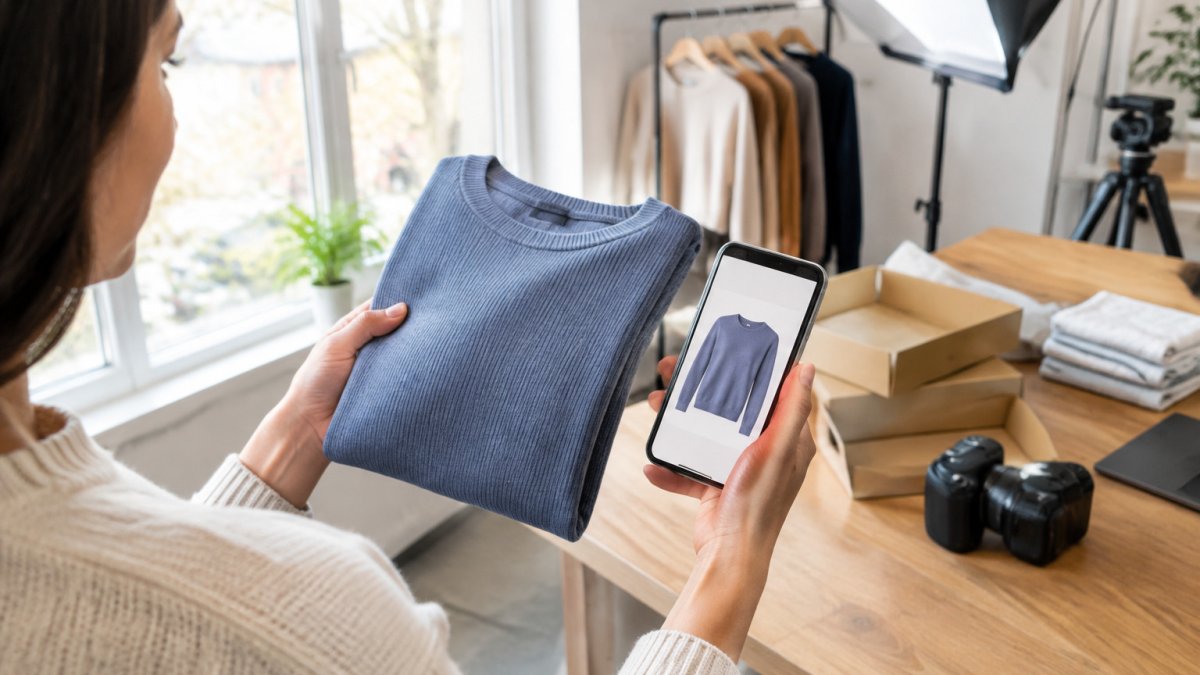
Studios often use bright, even lights that wash out subtle tones. Natural daylight can shift colours warmer or cooler depending on the time of day.
!A shopper holding a folded garment beside a window in natural daylight, comparing its colour against a phone screen showing the product listing
Natural light versus studio lighting
Natural light is soft and changes through the day. Studio lighting is steady, but it is designed to flatter the product, not to match your living room.
- Studio shots often look brighter and more saturated than real life
- Shadows in natural light can make dark fabrics look deeper
- Mixed lighting, such as warm bulbs at home, adds another shift
Camera and screen settings
Cameras set white balance automatically, and that choice changes colour. Your screen adds its own layer. A bright, cold display can make a warm beige look grey.
A quick tip: check colour against a plain white background on several screens before you decide. For more ways to shop online with less risk and stress, see how to make online shopping stress-free. If your phone looks very different from your laptop, adjust brightness and try again.
Colour is the most common surprise, and a few simple factors explain most of the difference.
| Factor | Effect on colour | Quick check |
|---|---|---|
| Studio lighting | Bright, even light can wash out subtle tones | Compare with a plain white background |
| Natural daylight | Shifts warmer or cooler through the day | Look at photos taken in daylight |
| Mixed home bulbs | Adds another colour shift | Check the item near a window |
| Camera white balance | Set automatically, changes colour | Note whether listing photos look consistent |
| Screen brightness | Cold, bright displays make warm beige look grey | Check on several screens |
How Fabric Texture, Sheen and Drape Get Lost on a Screen
Two photos can show the same colour and still feel different in person. Texture is hard to capture in a small image, and the way a fabric reflects light, holds a fold and moves changes how the garment reads on a screen versus in your hands.
Fabric weight and drape matter just as much as colour. A heavy knit hangs straight, while a light viscose flows and clings. A flat photo cannot show that movement, and a still image freezes a fabric at its most flattering angle.
Fabric-specific examples
Different materials fail in different ways on a screen. Here is what to watch for with common fabrics:
- Satin and silk: These reflect light strongly, so they can look glossy in one photo and dull in another depending on the angle and the light source. A satin dress photographed under studio lights may appear liquid and luminous, then look flatter and more matte in a dim room. Check whether the listing shows the fabric from more than one angle.
- Linen: Linen wrinkles, and that is part of its character. Product photos are often steamed or pinned smooth, so the delivered piece may look rumpled sooner than expected. Look for close-ups that show the weave and any natural slubs.
- Knitwear: Ribbed, cable and brushed knits can look smooth and flat in a small image. The stitch definition and loft often only appear in a close-up or in customer photos. A chunky knit may also look thinner on screen than it feels in person.
- Denim: Denim fades and softens with wear, and the indigo can photograph darker or more uniform than the real garment. Look for photos in natural light and check whether the listing mentions wash or finish.
- Sheer and lightweight fabrics: Chiffon, organza and thin cotton can look more opaque on a bright screen than they are in person. Check whether the listing notes lining or opacity.
Sheen, texture and drape checks
- Sheen: Satin and silk reflect light and may look glossy or dull depending on the angle. Ask whether the photos were taken with flash or in natural light.
- Texture: Ribbed, slubbed or brushed fabrics often look smooth in photos. Zoom in on any close-up image and look for visible weave or stitch detail.
- Drape: Look for descriptions such as "fluid" or "structured," and check whether a product photo shows movement, such as a model walking or the garment hanging.
Read the material details carefully. A listing that names the fabric and its weight gives you far more to go on than one that says only "soft." If the fibre content and weight are missing, treat the photos as a rough guide rather than a reliable preview.
Watch out: a single styled flat-lay can make a stiff fabric look soft and a sheer fabric look solid, so do not judge texture from one image alone.
Why Models, Styling and Editing Make Fit Look Different
Fit is where expectations often break down. A garment can look perfect on a model and sit very differently on your body.
Models are styled with pins, clips and tailored fitting.
Body shape matters too. A model's proportions rarely match yours. Their height, bust, waist and hip measurements can all differ from your own.
Look for listings that show garment measurements, not only model sizes. Measurements let you compare against a piece of clothing you already own that fits well.
How to Judge Clothing Quality Online Before You Buy
Good photos help, but they cannot tell you everything. Judging quality takes a few extra checks, and the most useful ones turn a vague impression into numbers you can compare.
Start with the description. Vague wording such as "premium" or "luxury" tells you little. Specific details tell you much more: fibre content, fabric weight, garment measurements and construction notes.
A repeatable measurement method
Instead of guessing from the size label, compare the listing's garment measurements with a piece you already own that fits well. This turns general fit advice into a concrete check.
- Take a garment that fits you the way you want the new piece to fit.
- Lay it flat on a table and smooth out wrinkles without stretching it.
- Measure across the chest from armpit to armpit, the waist across the narrowest point, the hip across the fullest point, and the length from the shoulder seam to the hem.
- Write those numbers down and compare them with the listing's garment measurements for the size you are considering.
- Allow a small margin for fabric behaviour: a knit may stretch, while a woven fabric may not.
If the listing gives only model measurements and no garment measurements, you have less to work with.
A pre-purchase checklist
Use this list before you check out:
- The fabric and fibre content are named
- Garment measurements are listed for your size
- There are several photos, including close-ups of texture
- Colour is described, and the photos look consistent with each other
- Customer photos or reviews mention fit and fabric
- The return or exchange policy is easy to find and read
- Care instructions are listed, which hints at how the fabric will hold up
If several boxes are unchecked, slow down or choose a different item.
Telling AI-generated images from real product photos
Some online listings use AI-generated or heavily edited images. Watch for these warning signs:
- Hands, seams or patterns that look distorted or repeat oddly
- Backgrounds that blur into shapes with no clear edges
- Fabric that looks unusually smooth with no visible weave
- Only one or two images, all with identical lighting
When in doubt, ask for real photos or check customer images.
Documenting a misleading listing
If an item arrives materially different from its description, you have more options when you have kept a record. Before you order, save screenshots of the product page, including the photos, colour description, fabric details and measurements.
If the delivered item does not match, compare it with your saved screenshots and note the specific differences: colour, measurements, fabric content or construction. Many consumer-protection bodies publish guidance on misleading advertising and your right to a remedy (Unfair and blacklisted commercial practices).
Watch out: a listing can be edited after you order, so save your screenshots at the time of purchase rather than relying on the page staying the same.
How to Choose the Right Clothing Size Online
Sizing is the next big challenge. Sizes are not standard across brands, and a "large" in one shop can fit like a "medium" in another.
Start with your measurements. Measure your bust, waist and hips, then compare them with the garment measurements on the listing. Do not rely on the size label alone.
It also helps to measure a favourite piece that fits well. Lay it flat, measure across the chest and length, and match those numbers to the new item.
Checking Your Next Order Against Chrissy's Eye's Listings
When you shop with us, you can apply these same checks.
Questions to ask as you look:
- Do the photos show the colour clearly under good light?
- Are the fabric details and garment measurements easy to find?
- Does the sizing help you choose with confidence?
If anything is unclear, reach out before you order.
Shopping online should feel relaxed, not like a gamble. Use the checklist, measure carefully and look closely at the details, and you will have fewer surprises when your order arrives. Get started with Chrissy's Eye and find clothing that suits your style and your size.
Frequently Asked Questions
Why do clothes look different online than they do in person?
Online clothes are usually shot under controlled studio lights, styled on a model, and edited before upload. Those conditions change colour, sheen and how a garment hangs. Your own screen adds another layer, since brightness and colour settings differ from device to device. Fabric weight and drape are hard to judge from a flat image at all. Reading the material description, checking garment measurements and looking at customer photos gives a more reliable picture than the hero shot alone.
Why does clothing colour look different on a screen?
Screens display colour differently depending on brightness, contrast, colour temperature and whether the display is calibrated. A phone set to warm mode can make a navy look purple, and a bright monitor can wash out a deep red. The lighting in the photo matters too, since studio light and natural light render the same dye differently. If colour matters for a purchase, compare the listing against several photos and look for close-ups taken in daylight.
How can I avoid buying clothes that look different from the pictures?
Start with the garment measurements rather than the model's size, and compare them with a piece of clothing you already own that fits well. Read the fabric description for weight, stretch and lining. Look for customer photos taken at home, not only studio shots. Check whether the retailer states its return policy clearly before you order, so you know what happens if the item does not match the listing.
Are clothing product photos edited or AI-generated?
Many product photos are retouched to adjust colour, remove wrinkles or smooth fabric, and some listings now use AI-generated images. Signs to look for include unnatural fabric seams, repeated textures, hands or accessories that do not sit correctly, and no photo of the item on a real body or flat on a surface. Asking the retailer for additional real-life photos is a reasonable way to check.
